Channels · Web flows
Publish. Copy the link. Send it.
A finished flow becomes a live client experience in minutes. Flow Manager hands you the link, the short URL, the QR code and an email share. There is no build step, no deployment window and nothing for anyone to host.
- Ways to hand it over
- 4
- Click to publish
- 1
- Hosting to arrange
- 0
- To go live
- Minutes
Flow Manager
Everything you need to ship a flow, on one panel.
Every published flow is managed from one place, and because a flow was never code, publishing it is the whole release.
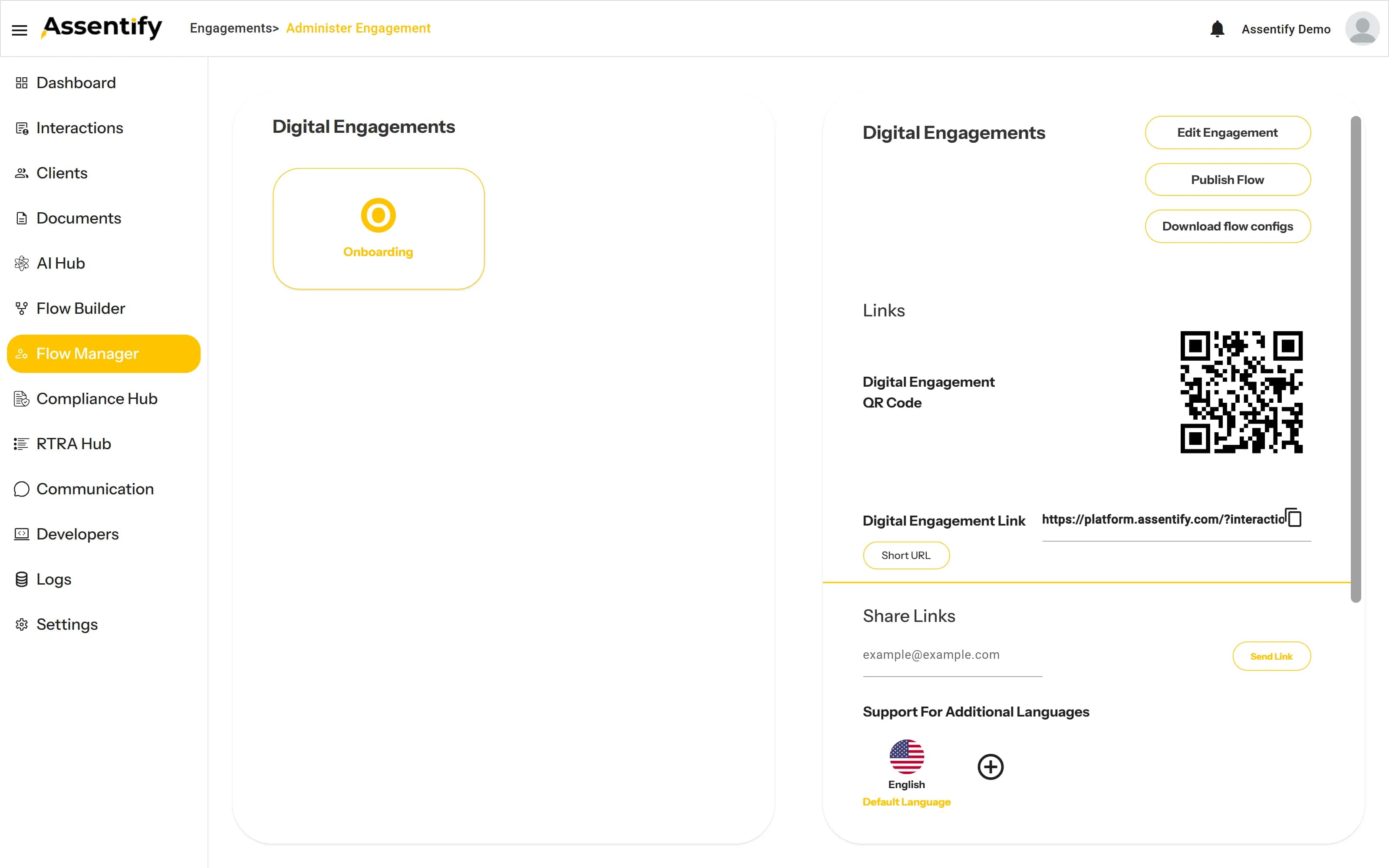
Digital Engagements
The left panel of Flow Manager lists every flow the tenant owns as a tile. Selecting one opens its actions on the right.
Edit Engagement
Jumps straight back to Flow Builder for that flow. The distance between noticing a problem in production and fixing it on the canvas is one click.
Publish Flow
Makes the current version of the flow the one clients meet. Publishing is a deliberate human action, which is why a drafted or edited flow can sit safely on the canvas until somebody decides it is ready.
Digital Engagement Link
The full URL for the flow, with a copy control beside it. This is the canonical address of the flow and it does not change when you republish.
Short URL
A shortened form of the same link, generated on request.
Digital Engagement QR Code
A QR code for the same flow, ready for print.
Share Links
An email field and a Send Link button, to send the flow to a named recipient from inside the platform.
Four handovers
Meet the client where the client already is.
The same published flow, reached four different ways. Which one you use depends on where the client is.
The link
Anywhere you already have a digital surface.
Put it behind an Apply button on your website, in an existing email, in a portal, in an in-app web view. Because it is an ordinary URL, it works in every place a URL works, and your web team does not need to know anything about identity verification to place it.
The short URL
Anywhere characters or attention are scarce.
SMS campaigns, printed leaflets, WhatsApp messages sent by hand, a number read out by an agent. A shorter link also survives being retyped.
The QR code
Anywhere the client is standing in front of something physical.
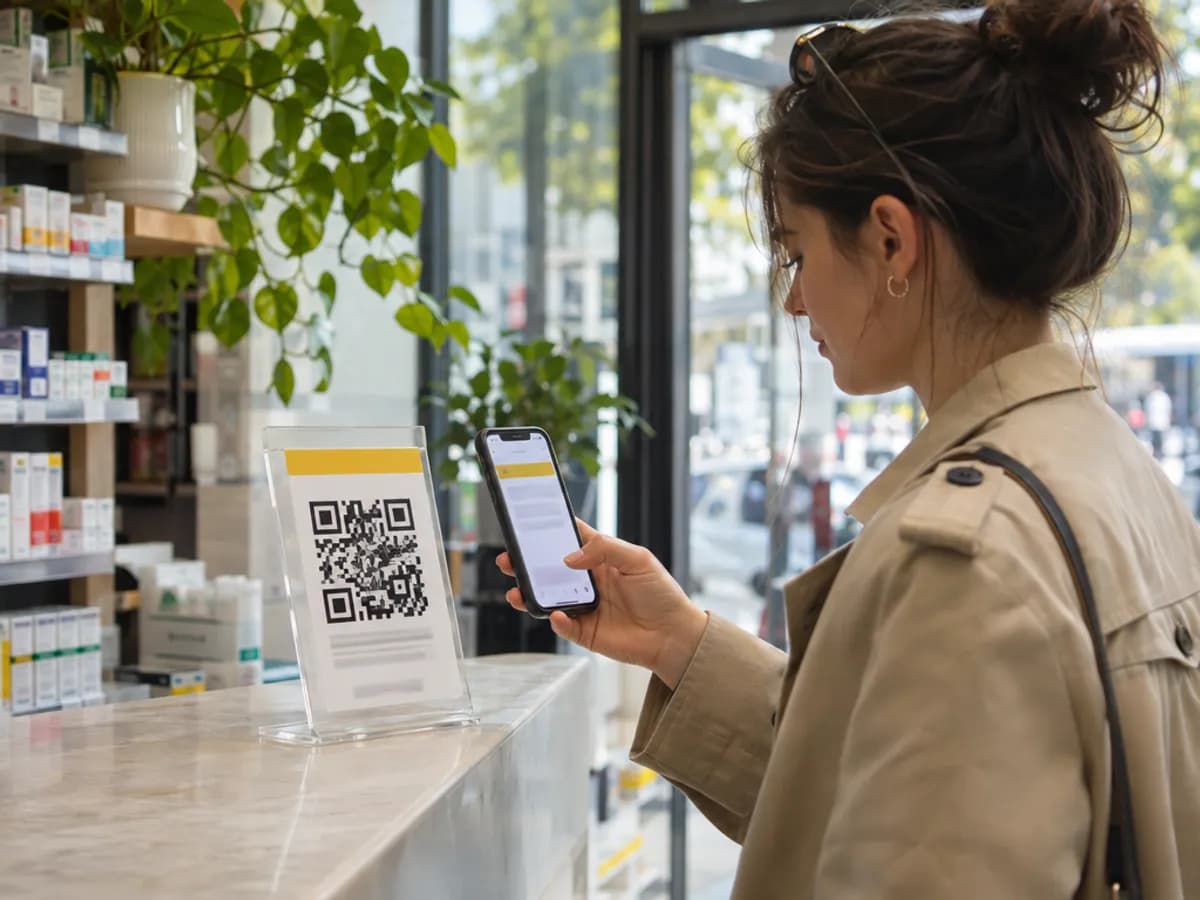
A branch counter, a store display, a SIM kiosk, an insurance renewal notice, an event stand. The client scans, the flow opens on their own phone with their own camera, and the interaction lands in the same queue as everything else.
The email share
One named person, right now.
A relationship manager who needs to send a flow to a client during a call. A compliance officer sending a re-verification request. Send Link does it from inside the platform, so the send is part of the record.
Time to live
Minutes is the length of the task.
Build the flow on the canvas. Press Publish Flow. Copy the short URL. Send it. Each is a single action taken by one person in one sitting, with no engineer, no ticket and no release window.
After it is live
Publish, measure, change it, publish again.
A web flow is the easiest channel to improve: the loop between noticing something and fixing it is one edit and one publish.
Capture success
Success On First Try, Second Try, Third Try and After Three Tries, plus No Auto Capture, Dropped and Error.
What the camera saw
Good Image, Authentication Failed, Blurred Image and Unsupported ID, so a failure has a cause.
Step latency
Average time per block and the 95th percentile, high and low, in seconds. Drop-off usually lives in the tail.
Completion
Completed, In Progress and Dropped by flow, by day, week or month.
If Unsupported ID is rising, a document type is missing from the step configuration. If the 95th percentile on a step is four times the average, a minority of clients are on a connection the step was never designed for. If capture succeeds on the third try far more often than the first, the instructions on the screen are wrong. Each of those is a five-minute edit on the canvas and one more press of Publish Flow.
Questions
Publishing to the web, answered.
You open Flow Manager, select the flow and press Publish Flow, then copy the digital engagement link, generate its short URL, or take the QR code. The published flow is a hosted page a client opens in any browser, with no plugin, no app install and nothing for your web team to integrate unless they want to embed the entry point in an existing page.
A web KYC flow goes live in minutes, because publishing is a configuration change. The flow is built on the canvas, published from Flow Manager, and available on a link immediately. The time-consuming parts of an onboarding programme are deciding your policy and connecting your systems.
The link, the short URL and the QR code are three ways to reach the same published flow, chosen by where the client is when you reach them. The digital engagement link is the canonical URL for digital placements, the short URL is for SMS, print and anywhere a long address is unusable, and the QR code is for physical surfaces where the client should continue on their own phone. All three resolve to the same flow and produce interactions in the same queue.
Yes, the digital engagement link is the address of the flow, not of a particular version, so you edit the flow on the canvas, press Publish Flow again, and the same link serves the new version. Printed QR codes and short URLs already in circulation keep working, which is the practical reason a QR code on a poster is safe to use at all.
The hosted page carries your brand, because Theme Settings in System Configuration carry your primary logo, and every step in the flow has its own Title, Subtitle, logo upload and Next Button text, so the wording and the mark can differ from step to step where that helps the client. Email templates and document templates are built in the platform as well, so the messages and documents a flow produces carry the same identity as the pages.
The capture is handed to the client phone by QR code, controlled by three toggles on the identity capture step. Allow Mobile Based Capture offers the handoff, Set Mobile Capture as Default starts there, and Mobile Only Scanning refuses desktop capture altogether. This is a separate QR from the one that opens the flow, and it exists because a webcam is the single most common cause of a failed first capture.
Start
Send yourself a live flow this afternoon.
A month on a real tenant with your own subdomain and a sandbox allowance. Build it, publish it, scan your own QR code, and see what your clients would see.