Biometrics
Matching runs on a vector, not a photograph.
It is geometry, turned into a vector, compared against another vector, and scored. What a reviewer sees is a Match Percentage. What sits behind it is capture quality, feature extraction, encoding and a threshold somebody chose on purpose.
- Accuracy threshold
- Per step
- Matching at scale
- 1:N
- Stored
- The vector
Four stages
Capture, detect, encode, match.
Most of the accuracy in face verification is decided before any comparison happens. A bad frame produces a confident wrong answer.
Capture
Auto capture acquires the face, and the platform judges the frame before it judges the person. Good image, blurred image and authentication failed are separate outcomes on the dashboard, because a rejected client and a rejected photograph need different fixes.
Detect and align
An AI face detection model isolates the face and normalises it for pose and scale. Assentify captures 172 facial feature points and performs its own mapping and evaluation on that geometry, so the encoding holds across a phone, a laptop webcam and a branch tablet.
Encode
The aligned face becomes a 512-dimension numeric vector, produced by Assentify’s own encoding stack built on a deep convolutional embedding architecture. What gets stored is the vector, not the picture.
Match and score
The vector is compared against a reference: the face read off the identity document, a face captured in an earlier step, or the whole enrolled population. The result is a Match Percentage on the interaction record.
A client asked to retry three times usually does not finish. Assentify reports success on the first, second and third try and after three tries as separate figures, so a product owner can see whether the loss comes from the model, the camera or the instruction on the screen.
Stage one
A weak frame lowers the score on a real client.
A face photographed too far from the camera, too dark or at a steep angle produces a weaker encoding, and a weaker encoding produces a lower Match Percentage on a person who is exactly who they say they are. The oval guide holds the face at the right distance and angle, and the capture completes on its own.
The same capture step carries liveness. Face matching answers who, and liveness answers whether anyone was really there.
Thresholds
One number, chosen deliberately.
Every biometric system is a trade between letting the wrong person in and turning the right person away. Assentify makes that trade explicit, per step, rather than hiding it inside a vendor default.
A live face against another live face is an easy comparison. A live face against the face printed on an identity card is a hard one: that face has been printed, laminated, carried in a wallet for years and photographed again. Its scores run lower, and one bar for both rejects genuine clients all day.
So the Facial Image Acquisition step carries three accuracy settings. High and Medium are for live against live. Low is for live against a document face. Choosing one is a policy decision for your risk team.
Accuracy settings, as shipped
Live face against live face. High security.
Live face against live face. Medium to high security.
Live face against a face extracted from a document or image.
Facial Image Acquisition, full configuration
- Accuracy
- High, Medium or Low threshold
- Perform Liveness Detection
- On or off, per step
- Store Image Stream
- Video of the capture, kept for audit
- Show Captured Image
- Whether the client sees the result
- Allow Image Retake
- Retry without dropping the interaction
- Enroll
- Create a biometric profile and enforce uniqueness
- Match
- Compare against a face from any earlier step
- Skip Ability
- Permitted only where the flow allows it
Example Match Percentage, sample record
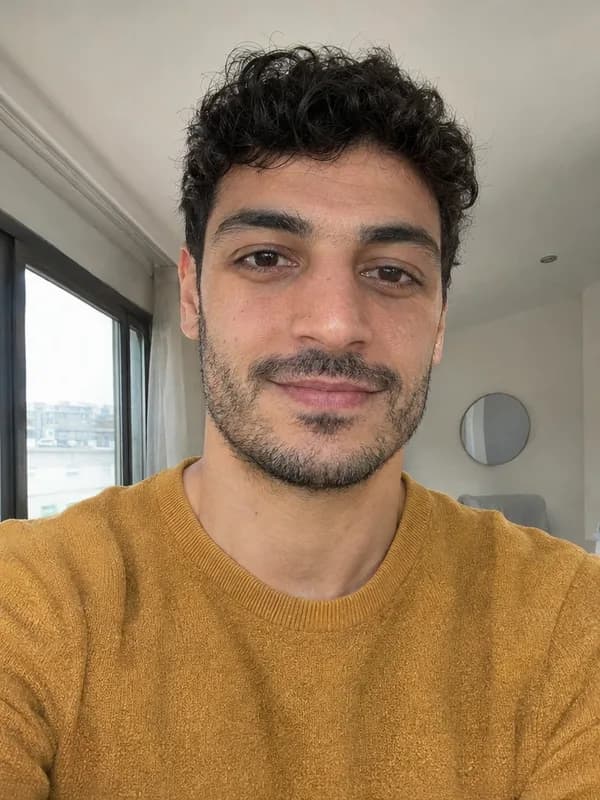
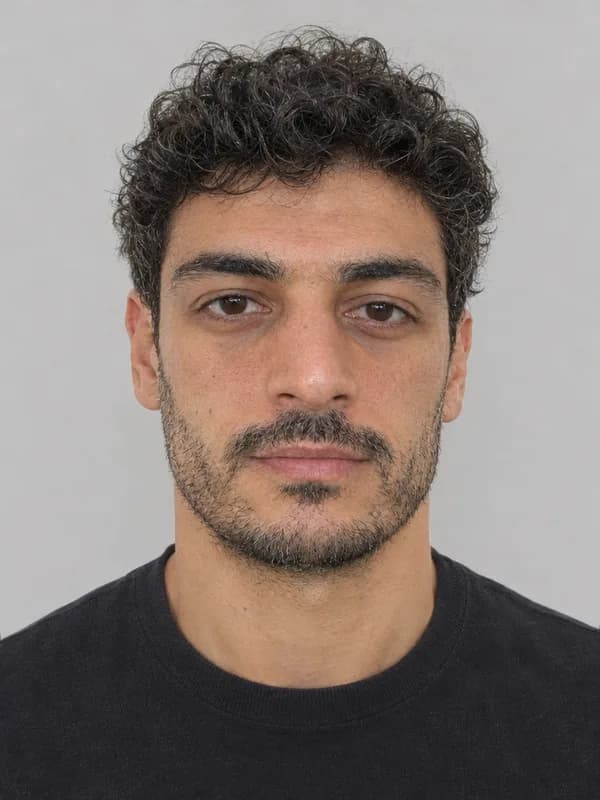
- Match Percentage
- 84%
- Threshold applied
- Low, above 60%
- Liveness
- Passed
- Device name
- samsung SM-G965F
- Capture video
- Stored
The audit video
We record the matching itself.
Assentify captures a live video audit of the face extraction and matching process, and of the document extraction alongside it. A stored still proves what the system kept. A recording proves what happened in front of the camera, which is what a disputed onboarding turns on.
What is stored
A vector, in a database that belongs to one tenant.
Biometric data is the most sensitive category a regulated institution handles.
The record is a vector
What Assentify holds for matching is the biometric record, a vector that cannot be used to recreate a facial image.
Isolated by tenant
Each tenant is a fully separate instance of the platform, and the biometric database follows that boundary. One institution never matches against another institution’s population.
Images are a choice
Store Captured Document and Store Image Stream are toggles on the steps that produce the media. An institution that wants the minimum footprint keeps the score and the audit trail without it.
Branch Assisted Mode
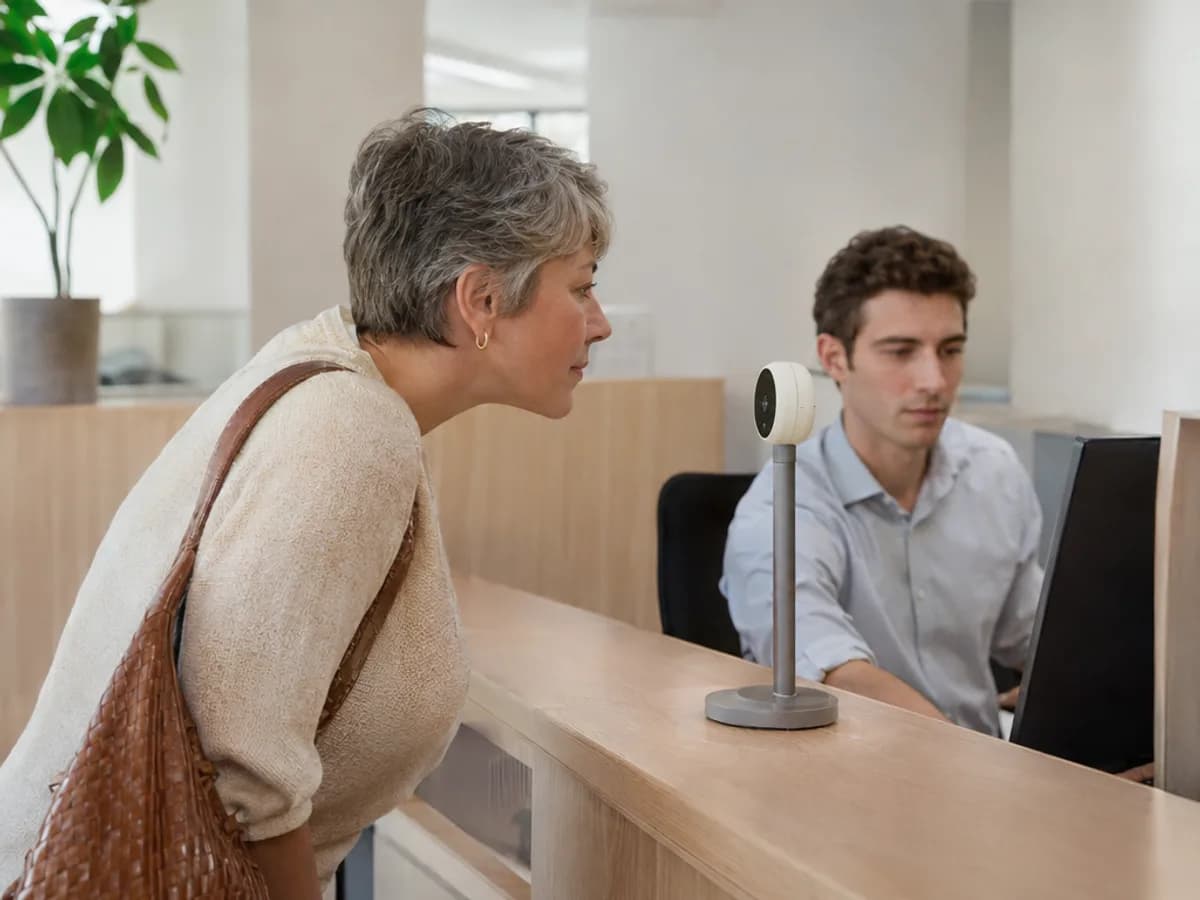
At the counter, the same capability.
Face capture and matching run on the same step, at the same accuracy threshold, with a member of staff holding the branch device.
- The same published flow, with a member of staff holding the device
- Allow Support, set on the flow in Flow Builder
- The same reviewer queue, flags and decision buttons
- One client record and one audit trail across channels
Questions
Biometrics, answered
Assentify detects the face in the live capture, aligns it, encodes it as a numeric vector and compares that vector to the face extracted from the identity document, producing a Match Percentage that is stored on the interaction record. The encoding is Assentify’s own 512-dimension embedding, capturing 172 facial feature points before the mapping and evaluation step. Because the document face is a printed and re-photographed image, the recommended threshold for a live face against a document face is above 60 percent, while live face against live face runs at 70 or 80 percent.
The Match Percentage is the similarity score between the live captured face and the reference face, shown directly on the expanded interaction record beside the two images. A reviewer sees the captured selfie, the reference image, a Manual Verification Required banner if the system flagged the case, and the score that caused it. The same score can drive automated decisions in the Backend Block, for example approving an application only when the face match is above a set value and no AML or KYC flag is present.
The artefact Assentify stores for biometric matching is the biometric record, not the facial image, and it is a vector that cannot be used to recreate a face. Biometric records are held in a biometric database that is isolated by tenant. Captured images and capture video are stored separately and only when the flow is configured to store them, using the Store Captured Document and Store Image Stream settings, so an institution decides for itself what evidence it retains and for how long.
Yes, the platform matches one face against an entire client base: the biometric engine performs 1:N matching and N:N de-duplication, which is what allows Assentify to refuse to create a client who already exists in the book under another name. Turning on Enroll in the Facial Image Acquisition step creates the biometric profile, and the client profile setting Use biometric face encoding for uniqueness makes that profile binding at client creation.
A low face match sets the Modified flag on the interaction row and routes the case to a human rather than declining it automatically. The reviewer opens the record, sees both images side by side with a compare view, replays the live audit video of the matching process if needed, and approves, sends back or declines.
Biometric processing runs on dedicated GPU-backed infrastructure inside the deployment you choose. In Lebanon that means Assentify Cloud with in-country GPU servers, so face encoding and matching never leave the country. For institutions with their own estate, Data Persistence can be set to on premise per tenant.
Start
Match your own faces, at your own threshold.
We provision a tenant, you build a flow with a face step, and your team runs real captures against real documents. The Match Percentage is on the record either way.