One month free · No credit card
A real tenant.
Thirty days.
We provision a real tenant on your own subdomain, with the hub you want to try, a sandbox allowance and your own administrator account. Build a flow, publish it, break it, and decide.
- Days
- 30
- To start
- $0
- Days to provision
- 1 to 2
- Cards on file
- 0
Request one month free
Book a demo and ask for the free month there, or write to us. A person reads every request, and the answers decide what we provision.
No credit card. No checkout. No automatic charge on day 30.
- 1A person reads your request.
- 2Your tenant is provisioned within one to two working days.
- 3Thirty days, then convert, extend or stop.
What happens
Three steps, and a real environment at the end.
An environment that belongs to you, created by the same pipeline that creates a paying one.
01 · Step
Reviewed, then approved
A person reads your request, checks the sector, the market and the use case, and confirms the hub you asked for answers your problem. Sometimes we suggest a different one.
02 · Step
Provisioned by the control plane
The same pipeline that creates a paying environment creates your tenant: client record, environment, subdomain, entitlements, quota policy, seats, roles and API keys. You sign in at your own address, in the shape of yourcompany.admin.assentify.com.
03 · Step
Time boxed
Thirty days, with the expiry visible in the tenant from day one. An extension takes one click and is usually granted while an evaluation is running.
Trial tenant, at a glance
- Duration
- 30 days from provisioning
- Environment
- Non-production, never billable
- Address
- yourcompany.admin.assentify.com
- Allowance
- Pooled sandbox quota
- Payment method
- None stored
- At expiry
- Convert, extend or remove
The 30 days
Day 0 to day 30, published in advance.
When we contact you and what we ask, day by day.
Phase 1 of 5 · Day 0
Provisioned and welcomed
Your tenant is created on your own subdomain with the hub you asked for, a sandbox allowance, an administrator account and the seats you need. You receive the quickstart, the sign-in address and the documentation for the hub in scope.
By the end of it
- Tenant created
- Subdomain issued
- Admin seat active
- Quickstart sent
Make it count
Four things worth proving before day 30.
Step 1 of 4
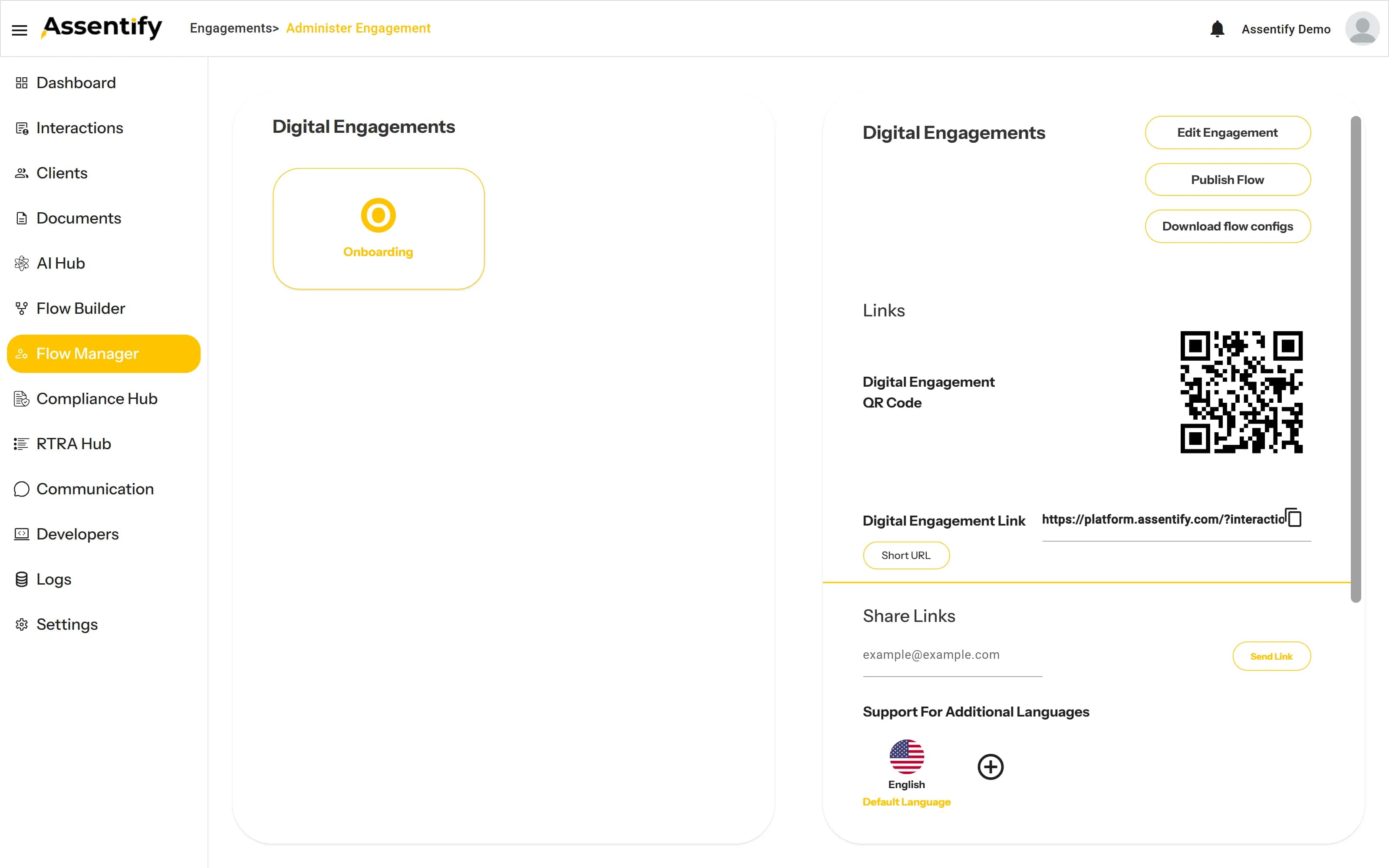
Build it on the canvas, press publish, and share the link or the QR code to your own device. Measure how long it took against your last onboarding change.
Step 2 of 4
Print a photograph, replay a video from a second phone, present a colour copy of a card. Then read the record: liveness, authenticity, match percentage and why a capture was flagged for review.
Step 3 of 4
Use a name that transliterates several ways between Arabic and Latin script, and one close to a listed entity without being it. Tune the screening profile weights and watch the match set change.
Step 4 of 4
Add a data source from the admin interface, pick API or SOAP and an authentication method, define an endpoint and test it in place. If your core system is reachable from a test network, this hour decides the evaluation.
The boundaries
What the trial includes, and what it does not.
Included
- A real tenant on your own subdomain
- The hub you asked to try, with its features enabled
- A pooled sandbox allowance for interactions and screenings
- Administrator and user seats with roles
- Flow Builder, the step library and the template builders
- Data sources, so you can connect a test system
- API keys, webhooks and the mobile SDK documentation
- Support during the trial, with a check-in on day three
Not included
- A production environment; trial tenants are non-production and never billable
- Unlimited volume; the sandbox allowance is pooled and finite
- Live client personal data, unless a data processing agreement is signed first
- A signed service level agreement; that comes with the contract
- On-premise deployment, which is scoped separately
Why a real tenant
What you build in the trial is what goes live.
A demonstration account throws away what you built when the evaluation ends. A trial tenant runs on the same tenancy model, audit trail, quota policy and admin surface a live subscriber uses, and its objects carry into production if you continue.

If you continue
- Flows
- Carry into production
- Templates
- Carry into production
- Screening profile
- Carries into production
- Data sources
- Carry into production
- Roles
- Carry into production
Questions
The free trial, answered.
A real 30-day tenant on your own subdomain, with the hub you asked to try, a pooled sandbox allowance, administrator and user seats, the Flow Builder, data sources, API keys and webhooks, and support including a check-in on day three. It is provisioned through the same pipeline that creates a paying environment, so what you build carries over if you continue.
No. The free trial takes no credit card, no checkout and no stored payment method, and nothing is charged when it ends. Enterprise deployment runs on contract and service level agreement, so a trial cannot roll into a subscription.
Requests are reviewed by a person and provisioning follows approval, so access typically arrives within one to two working days. A tenant with entitlements, a subdomain and API keys is a real environment, and matching you to the right hub first saves time.
Not without a data processing agreement in place first. A trial tenant is designed for specimen documents, test records and your own team. If you need to trial against production data, say so and the agreement is put in place before the tenant is created.
The tenant expires on schedule. Continue and the same tenant converts to production with nothing rebuilt; extend with one click; or stop, and the sandbox data is removed. Nothing is charged automatically in any case.
Try the Flows Hub if the problem is onboarding and getting a client flow live on the web, WhatsApp and your own app. Try the Compliance Hub for screening, clearance and audit. Try the AI Hub for document extraction at volume, and the RTRA Hub for transactions after onboarding. If you are not sure, ask and we will recommend one.
Start
Thirty days is enough to know.
Request the tenant. If it holds up, you are already halfway through the deployment.