Lebanon · identity documents
Every Lebanese identity document. Not only the ones with an MRZ.
Lebanon is not a passport market. It is a market of civil IDs, civil extracts, residence permits and refugee documents, in Arabic. Assentify reads every one of them and returns structured fields from each.
- Document families
- Eight
- Scripts
- Two
- MRZ parsing
- ICAO 9303
- Every page read
- In country
The catalogue
Every document, and what comes out of it
Extraction is templated per country and per document type. The exact field set is confirmed against your flow at configuration.
| Document | Script | Capture | Fields extracted |
|---|---|---|---|
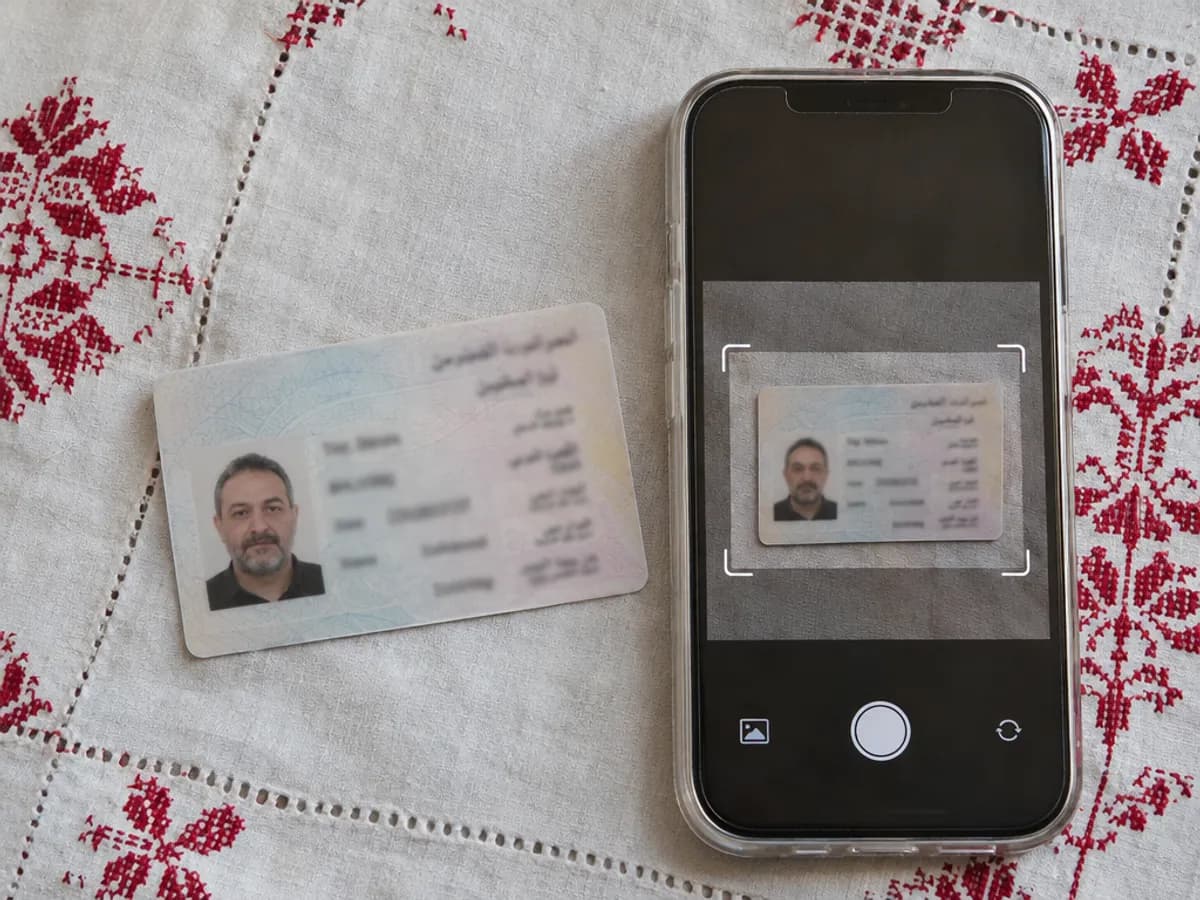
Lebanese Civil ID بطاقة الهوية | Arabic, with Latin transliteration on the record | Front and back | Full name, father and mother name fields, date of birth, place of registration, register number, sex, document number |
Lebanese passport جواز سفر | Latin in the MRZ, Arabic and Latin on the printed page | Data page, front only | Surname, given names, document number, nationality, date of birth, sex, expiry date, issuing country |
Civil extract (ikhraj qaid) إخراج قيد | Arabic | Full page | Full name, parents, date and place of birth, register and record numbers, civil status, issuing office and date |
Lebanese driving licence رخصة سوق | Arabic and Latin | Front and back | Full name, date of birth, licence number, categories, issue and expiry dates |
Residence permit إقامة | Arabic and Latin | Front and back | Full name, nationality, permit number, permit type, date of birth, validity dates |
Army card | Arabic | Front and back | Full name, date of birth, card number, issuing authority |
Palestinian refugee ID | Arabic | Front and back | Full name, date of birth, registration number, issuing authority |
Syrian refugee ID | Arabic | Front and back | Full name, date of birth, registration number, issuing authority |
Lebanese Civil ID
The primary retail onboarding document in Lebanon and the reason a passport-first stack struggles here. Read by template rather than by machine readable zone.
Lebanese passport
The machine readable zone is parsed to ICAO 9303, and the parsed values sit beside the values read from the printed page so a reviewer can compare them.
Civil extract (ikhraj qaid)
Named in Basic Circular 83, Article 3(4) as an extract from the Civil Status Register, one of the four documents the circular accepts for a natural person. It carries no photograph, so it is used alongside a photo document rather than instead of one.
Lebanese driving licence
Templated OCR by document type. Commonly presented as a secondary document, and useful where a Civil ID is being renewed.
Residence permit
Also named in Basic Circular 83, Article 3(4). Essential for a market with a large non-national resident population, and routinely missing from global identity verification catalogues.
Army card
A regional template maintained in country. Presented by serving and retired personnel where a Civil ID is held elsewhere.
Palestinian refugee ID
A regional template maintained in country. Financial inclusion programmes and NGO disbursement flows depend on it being readable at all.
Syrian refugee ID
A regional template maintained in country, for the same reason. A verification stack that cannot read it simply excludes the population that needs the account.
Two hard parts
The machine readable zone, and the script
Passports are the easy case. A stack works in Lebanon if it copes when there is no MRZ, and when the name is written in Arabic.
What the MRZ is, and what it is not
The machine readable zone is the block of monospaced characters at the foot of a passport data page. Its layout is fixed by ICAO Document 9303, the international standard for machine readable travel documents, which is why a passport parses deterministically while a photograph of a printed card does not. Assentify parses the MRZ to that standard and writes the parsed values onto the interaction record beside the values read from the printed page.
BDL Basic Circular 83, Article 3(4) accepts four documents for a natural person: a passport, an identity card, an extract from the Civil Status Register and a residence permit. Two of them have no MRZ. A Lebanese Civil ID is read by template, and an ikhraj qaid is a register extract with no photograph on it.
Templated OCR is the answer to the rest. The document type is set on the capture step rather than guessed at runtime, so the pipeline knows which template to apply and what to do when the document in the frame does not match it.
Arabic is where matches are won or lost
The OCR pipeline runs on Assentify’s fine-tuned vision model, covering English and Arabic, inside the AI Hub. Pre-processing, templated OCR and post-processing are built as a pipeline you can inspect, with a Template Builder and a Playground. A document class specific to your business, such as a salary certificate or a trade licence, becomes a template you build.
Script matters most at the screening step. A Lebanese name written in Arabic on a Civil ID, and the same name written in Latin transliteration on a sanctions list, are two different strings. The Compliance Hub carries an Apply Transliteration To setting for that reason, and the screening engine searches transliterated names and phonetic codes together.
The claim
If a Lebanese branch sees it, the platform reads it.
Civil ID, passport, ikhraj qaid, driving licence, residence permit, army card, Palestinian refugee ID, Syrian refugee ID. In Arabic and in Latin script. Read on GPU servers inside Lebanon, with the image, the extraction and the audit video staying in the country.
After the read
What happens to a document once it is captured
Four things happen after extraction, and each one leaves evidence a reviewer or an auditor can open.
01 · The check
The extraction is checked, not trusted
Every field lands on the interaction record beside the source image. A reviewer sees the captured document, the parsed values and the face together. When a value is changed by hand the record is stamped Modified, so an auditor can see which fields a human touched and who touched them.
02 · The authenticity
The document is tested for authenticity
Document liveness confirms a physical card is in front of the camera rather than a screen or a print. Tampering detection catches a face replace or a data replace laid over a genuine card. Wrong template detection catches a document that is not the type the step expects. Each of these can send the case to manual verification instead of quietly approving it.
03 · The screening
The extracted name becomes a screening query
The name read from the document is what gets screened. The Apply Transliteration To setting lets a name captured in Arabic match a list written in Latin script, and the other way round. Global lists and the local Lebanese lists, ISF Leb 24 and SIC 18-26, sit in the same engine.
04 · The video
The record keeps its own video
A live audit video of the extraction and of the face match is retained. When a case is disputed months later, the evidence is a replayable event rather than a score somebody has to take on faith.
Configuration
The capture step, switch by switch
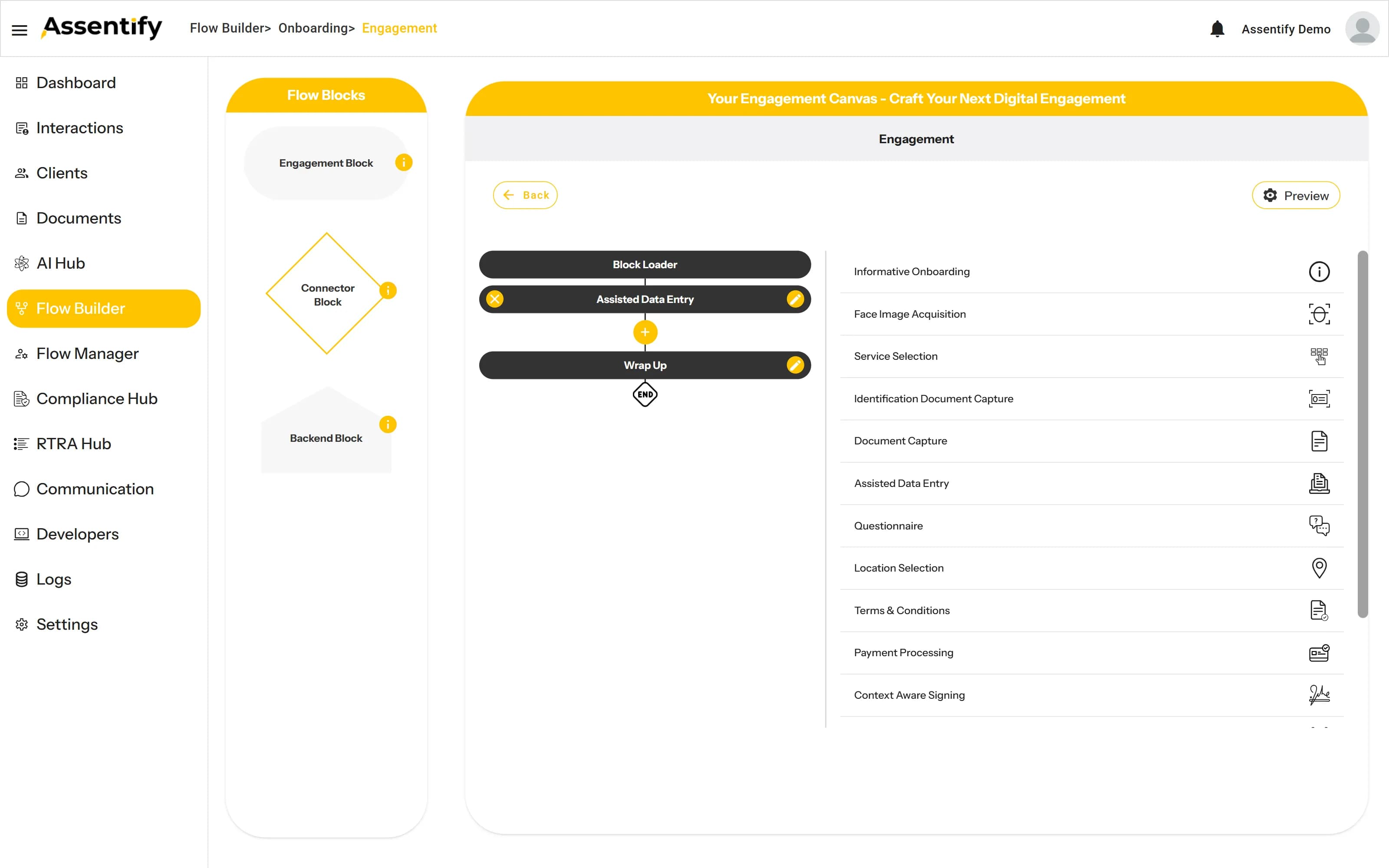
The Identification Document Capture step is configured in the Flow Builder, without code. Its settings decide what a client may present and how.
A retail flow can accept a Civil ID, a passport and a residence permit. A corporate flow can accept something else entirely. A branch-assisted flow can turn on manual capture while a self-service flow insists on auto capture with document liveness. The same flow definition then publishes to the web, to WhatsApp, or into your own mobile application through the Mobile Flow SDK, and none of it is rebuilt per channel.
A client who starts on a desktop can jump to a phone camera by QR code, finish the capture there and continue the flow. The phone camera is almost always the better sensor. First-try success is reported on the dashboard, per flow, per week.
Identification Document Capture
- Country and document type, set on the step
- Allow passport
- Front only
- Allow mobile based capture
- Set mobile capture as default
- Mobile only scanning
- Is manual capture
- Document Liveness
- Show result page
- Store captured document
- Disable data extraction
- Skip ability
Plus title, subtitle, logo, next button text and result page, all set per step.
Go deeper
The rest of the Lebanon cluster
Questions
Lebanese ID verification, answered.
Assentify supports every Lebanese identity document, including the Lebanese Civil ID, the Lebanese passport, the civil extract known as the ikhraj qaid, the Lebanese driving licence, the residence permit, the army card, the Palestinian refugee ID and the Syrian refugee ID. Extraction is templated per country and per document type, and both Arabic and Latin script are handled as first-class inputs. Outside Lebanon the same engine reads global identity documents by market and parses passports to ICAO 9303.
For a natural person, BDL Basic Circular 83, Article 3(4) names a passport, an identity card, an extract from the Civil Status Register, or a residence permit. That is the reason a Lebanon-grade verification stack has to read more than a machine readable zone: two of the four accepted documents have no MRZ at all, and the civil extract has no photograph either. For legal persons the same article requires authenticated by-laws, a registration certificate and the ownership structure, and proxies require an original or certified power of attorney.
The MRZ is parsed to ICAO Document 9303, the international standard that fixes the layout of the machine readable zone on passports and travel documents. Because the format is fixed, the parse is deterministic rather than probabilistic, which is why passports are the easiest document class in the world to automate. The parsed values are written to the interaction record beside the values read from the printed page, so a reviewer can compare the two rather than see one number and trust it.
Yes, Arabic and Latin script are both first class, in extraction and in screening. The Lebanese Civil ID, the ikhraj qaid, the army card and the refugee IDs carry Arabic fields, and the OCR pipeline runs on a fine-tuned vision model covering English and Arabic. The point where script matters most is screening: the Compliance Hub carries an Apply Transliteration To setting so a name captured in one script is matched against lists written in the other, which is where cross-script matches are usually lost.
Inside Lebanon, on Assentify local cloud and GPU servers. The document image is read where it is stored, and the same applies to face matching, liveness scoring and screening. Article 7 of BDL Basic Decision 7548, as replaced by Intermediate Decision 13791 of 9 January 2026, requires banks and financial institutions conducting electronic banking to store in Lebanon all data and information pertaining to customers and executed operations. Article 8 restricts who may touch that data and keeps the institution liable regardless of any processing contract.
The case is flagged and routed to a human, not silently declined. Document liveness catches a screen or a print presented in place of a card. Tampering detection catches a face replace or a data replace laid over a genuine document. Wrong template detection catches a document that is not the type the capture step expects. Any of these raises the record for manual verification, with the captured image, the extracted values and the live audit video attached, so a reviewer decides on evidence rather than on a score.
Start
Put your own Civil ID through it.
We provision your own subdomain with a sandbox allowance. Add a capture step, publish the flow, scan your own document on your own phone, and read every field the platform pulled off it.