Documentation
Build against the platform.
Most of what it takes to ship a flow needs no code at all. The APIs, SDKs and webhooks are where your engineers come in.
- Channels, one flow
- 3
- SDK platforms
- 4
- Data source types
- API, SOAP
- To a live web flow
- Minutes
API surfaces
Every surface, and what it needs from you.
Four surfaces need no code. The webhooks reference is still moving out of the admin portal.
NO CODE
YOUR ENGINEERS
Flow Builder
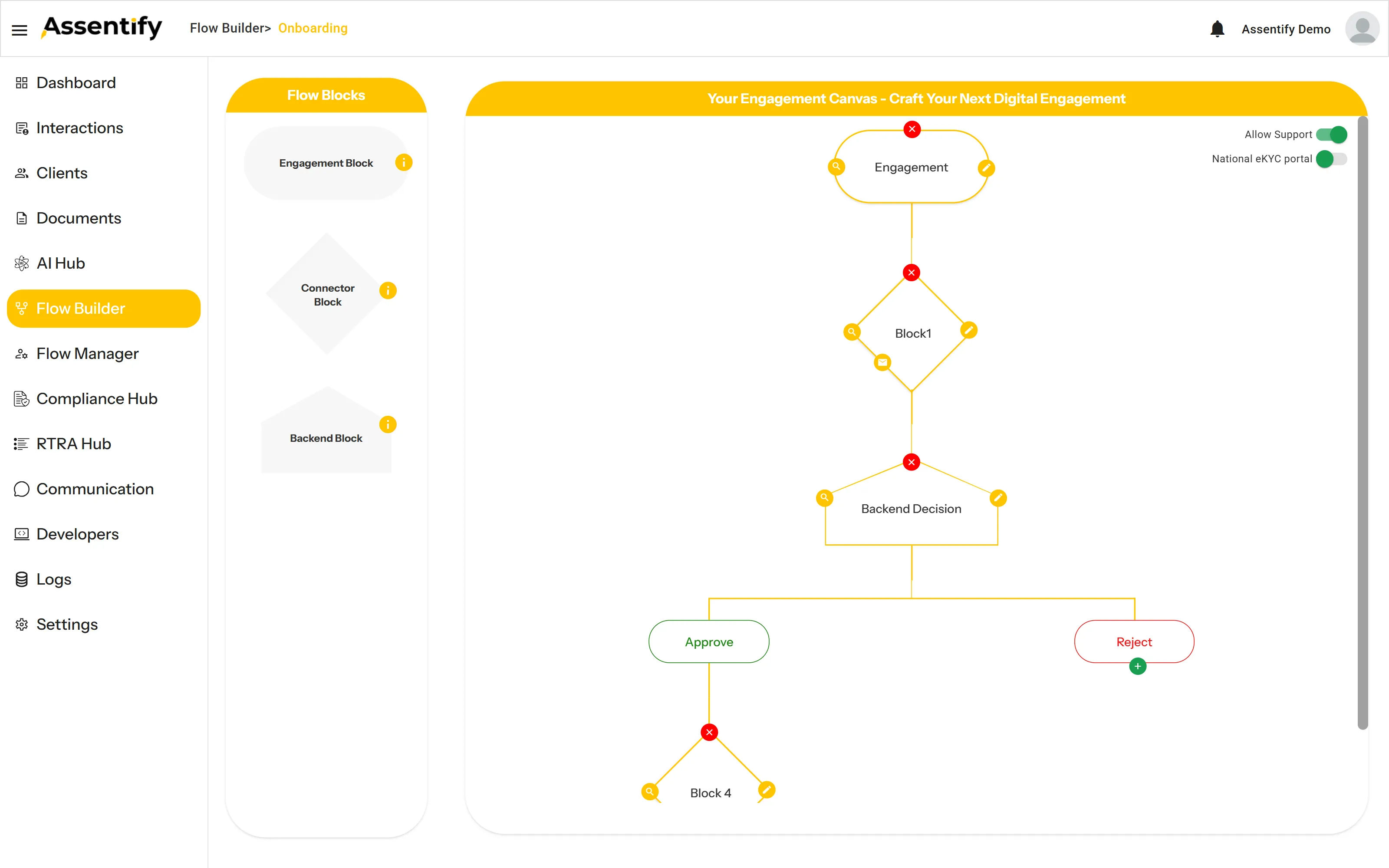
No codeThe canvas. Engagement, Connector and Backend blocks, the step library, per-step configuration, branching with Split, and the Application Command configuration that holds automated processing and decisions.
You set
- Blocks and the steps inside them
- Per-step settings, such as document liveness
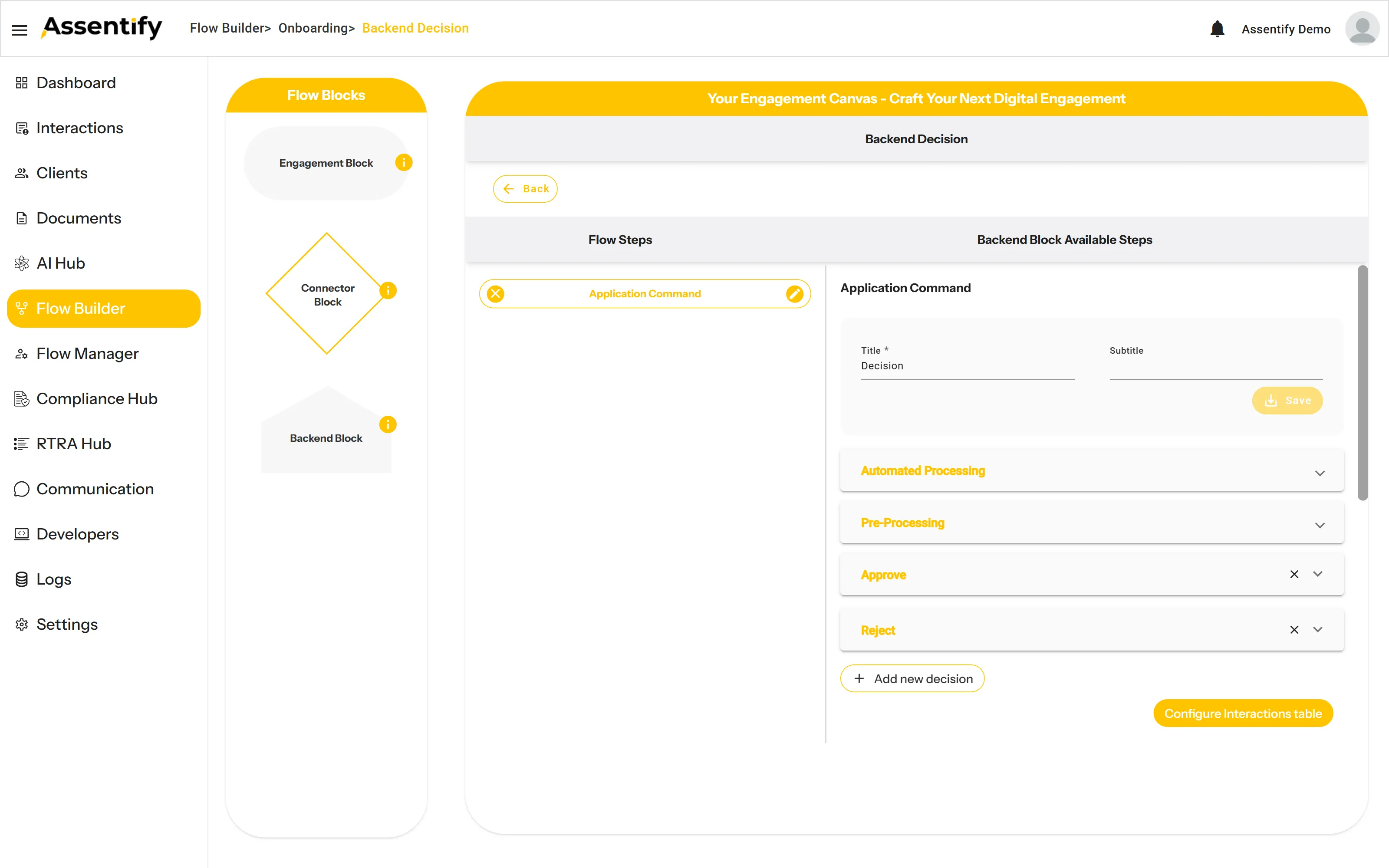
- Decision rules on the Backend Block
You get
- A flow you can publish
- A review screen generated from its decisions
REFERENCEProduct page
Flow BuilderQuickstart
From an empty tenant to a live flow, in five steps.
Steps one to four involve no code. Step five is where your engineers arrive.
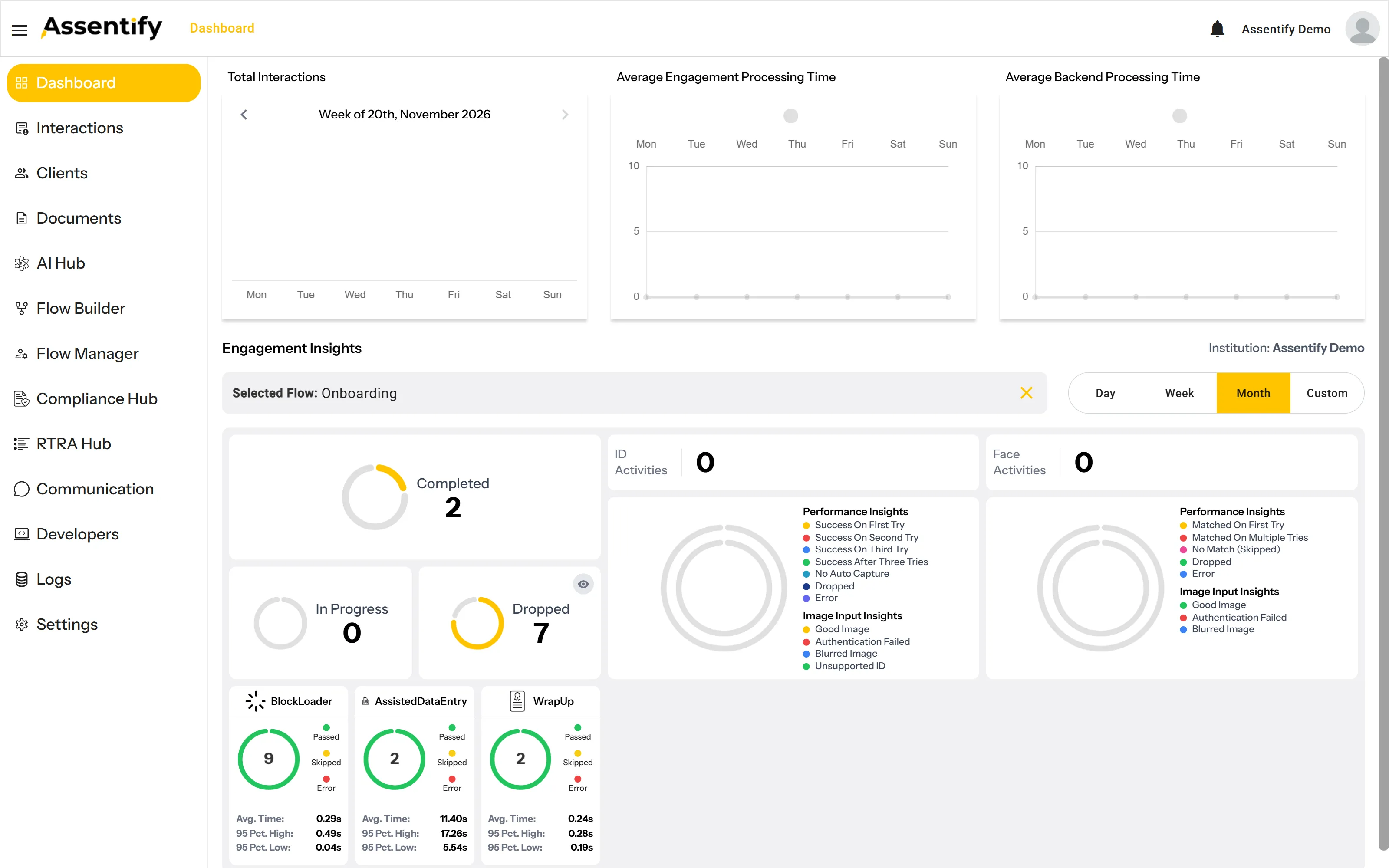
- Weekly charts
- Engagement insights
- ID and face insights
- Step pass rate and timing
- Started on a desktopA QR code on the screen
- Finished on a phoneThe session follows the client
- One interaction recordDevice name and user agent logged
The shortest possible path to production
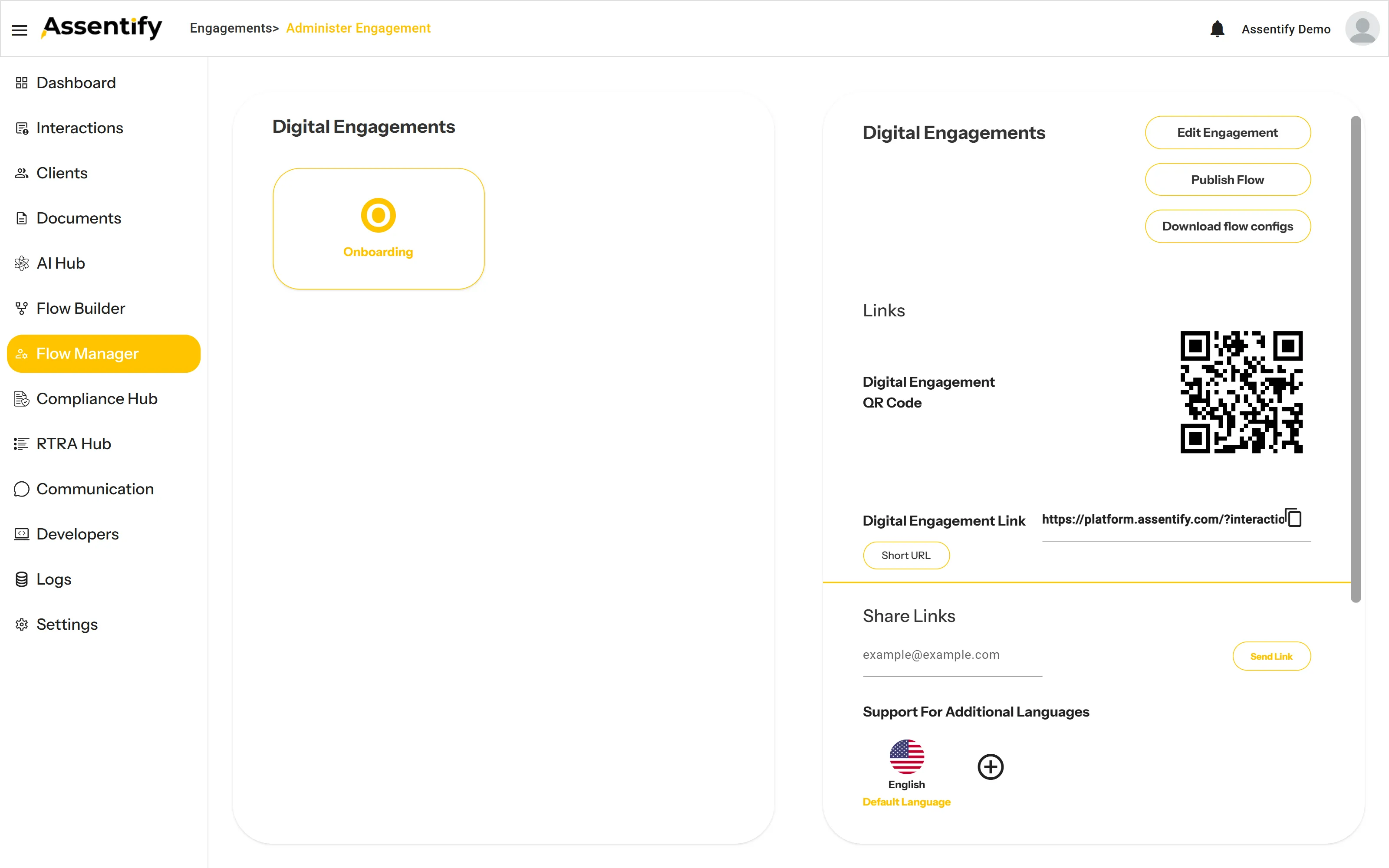
A published flow is already reachable by link and by QR code, with no app installed and nothing deployed on your side. The first end-to-end test of your build happens on a real phone, over a real connection, minutes after you publish.
Concepts
Six words that carry the whole model.
Every screen, every permission and every API object is named after one of these.
Flow
The full sequence of steps a client goes through, designed on the canvas and published to a channel. The flow is the unit you build, version, publish and measure, and the same flow reaches web, WhatsApp and your own app without being rebuilt for each.
Block
One stage of a flow, in three kinds. The Engagement Block is what the client sees. The Connector Block sends something outward, such as an email, an SMS, a WhatsApp message or a webhook. The Backend Block processes, screens and decides.
Step
A single unit of work inside a block. Client-facing steps include Block Loader, Identification Document Capture, Facial Image Acquisition, Assisted Data Entry, Compliance, Questionnaire, Terms and Conditions, Context Aware Signing, Split and Wrap Up. Backend and connector steps include Web Hook, SMS, Email, WhatsApp, AML, Pre-Processing, Post-Processing and Decision Making.
Interaction
One client run through one flow, and the record it leaves. The record holds the captured images, the extracted fields, the device and user agent, the start and end times, the face match percentage, every screening list searched and the decision taken. Interactions are the unit that billing and quota are measured in.
Client
The person or business the institution serves, held as a client profile. Three profile types exist, Person, Verified Person and Verified Business, each independently enabled and configured with its own screening cycle, expiry alerts, uniqueness rules and risk levels.
Tenant
One isolated environment belonging to one contracting organisation. A client may hold several tenants, typically production, user acceptance testing, quality assurance and demo, and each carries its own data persistence setting, on cloud or on premise.
Two more words are worth learning early. A decision is an outcome configured on a Backend Block, with Approve and Decline present by default and custom decisions added as needed; decisions drive the buttons a reviewer sees on an interaction, so the review screen is generated from the flow rather than hard-coded. A data source is an external system registered once and referenced from any flow, which is what keeps integration work off the critical path. Both are defined in full in the glossary.
The shape of an integration
One flow. Three channels. One interaction record behind all of them.
A flow published to the web, sent as a WhatsApp conversation and embedded in your own application is the same flow. The steps, the screening configuration and the decisions are the same, and the interaction record written at the end has the same shape whichever channel produced it. Your reviewers work one queue and your auditors read one trail.
Model your integration around the interaction rather than around a channel, and the second and third channel cost almost nothing.
Migration
The API reference is moving out of the admin portal.
Today the endpoint reference sits behind a login, under Developers, alongside Flow Configuration.
It is moving into the public documentation, section by section: webhooks first, then errors, then the changelog.
If you need the current reference for a specific area, your account team will send it, and prospective clients can ask for it through the contact page.
Where things live today
- Sign in
- Your own subdomain, in the shape of yourcompany.admin.assentify.com
- Endpoint reference
- Admin portal, Developers, Documentation
- Flow configuration
- Admin portal, Developers, Flow Configuration
- Engine and list health
- Compliance Hub, Status
- Activity and event log
- Logs, exportable
- Usage against allowance
- Settings, Billing Management
- Signature integration guide
- On request from your account team
The full API reference currently lives inside the admin portal, under Developers, and is being migrated to the public documentation so that it is readable without a login. Signed-in tenants see two cards there today, Flow Configuration and Documentation, covering the REST API, the mobile SDK and webhooks. Until the migration finishes, the public pages describe the platform surface and the concepts, and your account team can send the current reference for the endpoints you need.
Request one month free and Assentify provisions a real tenant on your own subdomain, following the pattern yourcompany.admin.assentify.com. The tenant comes with a sandbox allowance, the hub you asked to try, and your own users. Non-production tenants draw a separate pooled allowance and are never billable.
No, a web flow and a conversational flow are built on the canvas and published from Flow Manager, which produces a link, a short URL and a QR code with no code at all. Code enters at two points: embedding the flow in your own mobile application with the Mobile Flow SDK, and consuming events or pushing data through webhooks and the data sources engine.
Through the data sources engine, configured from the admin interface with no development and no customisation. You add a source with a name, choose API or SOAP, choose API key or basic authentication, define endpoints of type pull, push or JSON file with their headers and body and an optional XSLT transformation, test the source in place, and save it. The flow then references that source, and your team pushes and pulls data between systems without depending on a third party.
Delivery behaviour is documented in the webhooks reference, which is being migrated from the admin portal, and your account team can send the current version. The durable advice is to make your endpoint idempotent, to validate the payload before trusting it, and to treat the interaction record in the platform as the source of truth rather than your own copy of the event.
Engine and integration health is visible inside the platform under Compliance Hub, Status, which shows engine refresh status, list freshness and integration health for your tenant. A public changelog is part of the documentation migration. Breaking API changes are announced before they ship and are never introduced inside a patch release.
Start
A tenant beats a specification. Take one for a month.
We provision a real environment on your own subdomain with a sandbox allowance. Build a flow, publish it, point a webhook at your own service, and see how the integration behaves before you commit to it.