Channels · Mobile Flow SDK
Your app. Our flow. Hours.
The Mobile Flow SDK renders a flow you already published inside your own app, on iOS, Android, Flutter and React Native. Same steps, same capture, same checks, same reviewer queue. Your mobile team embeds onboarding instead of building it.
- SDK platforms
- 4
- Flow definition
- 1
- Typical integration
- Hours
- Checks rebuilt
- 0
The integration
Four steps, and only one of them is code.
The flow, the checks, the screening rules and the connections to your systems all exist before the integration begins. That is why it is short.
Build and publish the flow
The flow exists before the integration starts. It is built on the canvas, published from Flow Manager, and already running on the web.
Take the flow configuration
The Developers section of the platform carries Flow Configuration and Documentation. This is where the SDK learns which flow it is rendering and how to reach the tenant.
Add the SDK to your app
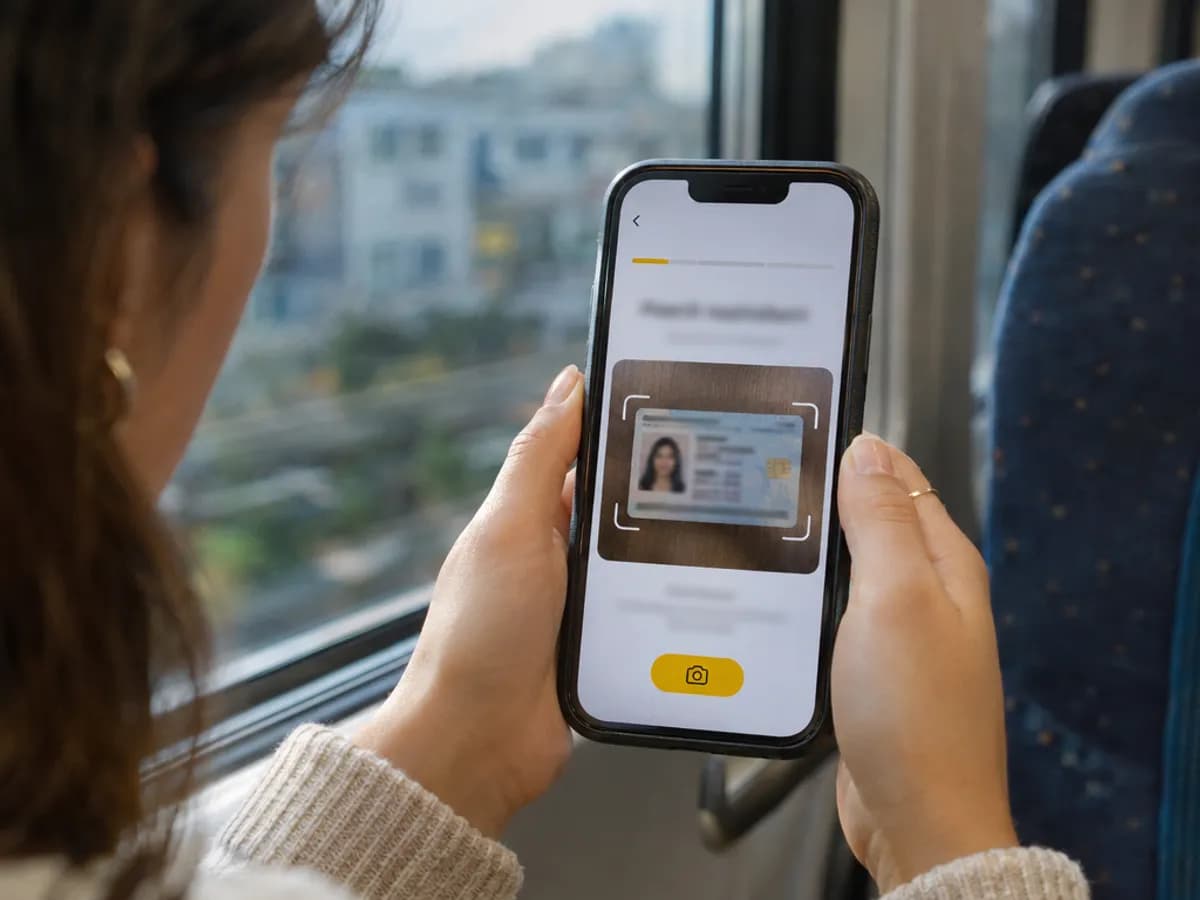
iOS, Android, Flutter and React Native. The SDK renders the flow steps inside your application, using the device camera for identity capture and face acquisition, and returns control to your app when the flow finishes.
Wire the outcome back
Webhooks and the REST API carry the result to your systems, or the flow does it itself through a Connector Block calling a data source you already configured. Both routes are supported and the choice is usually a question of where your logic already lives.
What the reviewer sees from an app interaction
- Device Name
- samsung SM-G965F
- Flow Name
- SDKFlow
- User Agent
- Dalvik/2.1.0
- Time started
- 09:41:06
- Time ended
- 09:43:22
- Match percentage
- 96%
An interaction from your app carries the same record as one from a browser, so one team reviews both.
A conventional mobile identity integration hands the mobile team an API and a document. They build the screen order, the camera handling, the auto-capture behaviour, the retry logic, the error states, the localisation, the consent screens and the calls for each check. Each one is a place the app can drift from the policy the compliance team wrote.
With the Mobile Flow SDK, your application decides when the flow starts and what happens when it finishes. Everything between those two moments is the flow, the same object your compliance team already approved for the web channel.
What the app inherits
Everything the web channel already has.
The SDK delivers the same definition to a different surface, so an embedded flow carries every step and every check.
The same flow definition
The SDK renders steps from a flow published in the platform. One definition serves every channel, so a change to the flow is a change everywhere.
The same capture stack
Document liveness, tampering detection, extraction including machine readable zone parsing, face liveness and the face match percentage all run in the app exactly as they run on the web. Configuration for those checks lives on the step.
The same reviewer queue
An interaction from your app lands in the Application Processing Command Center with everything else, so one team reviews every channel.
Telemetry is part of what the app inherits. The Dashboard reports capture success by attempt, image quality and face match outcomes for the app as for every channel, and each interaction records its Device Name and User Agent, so a capture problem can be traced to a device family.
Why hours is credible
Hours, because the flow already exists before you start.
The steps, the capture rules, the screening configuration, the decision logic and the connections to your core all live in one published flow. The mobile work is embedding a renderer and handling a result.
For the engineering team
Three surfaces, and you will probably use two.
The Developers section of the platform holds Flow Configuration and Documentation, covering the mobile SDK, the REST API and webhooks. How you combine them depends on where your existing logic lives.
Mobile Flow SDK
Renders the published flow inside your iOS or Android app, using the device camera for identity and face capture, and returns control when the flow completes.
REST API
For starting and querying interactions from your own services, and for the cases where a backend is driving the process.
Webhooks
The outcome arrives at your endpoint when the flow reaches it, which suits anything that has to update a record downstream.
There is a third route, and it is usually the cheapest one: the flow talks to your systems itself, through a Connector Block calling a data source your team configured once. Your app and your backend then need no integration code for it. See the Data Sources engine.
Questions
The SDK, answered for engineers.
With the Assentify Mobile Flow SDK, which renders a flow you have already built and published inside your own iOS or Android application. You take the flow configuration from the Developers section of the platform, add the SDK to your app, and the identity capture, face acquisition and remaining steps run in your app using the device camera. Typical integration is measured in hours because the flow, the checks and the decisions already exist and are already running on another channel.
Because the flow is not being built during the integration, it is being rendered. In a conventional project the mobile team implements the screen order, the capture handling, the retry behaviour, the error states and the API calls for every check, which is where the weeks go. With Assentify all of that is defined in the flow and delivered by the SDK, so the work in your codebase is adding the SDK, handing it the flow configuration, and deciding what your app does when the flow returns.
Yes, Mobile Flow SDKs are available for iOS, Android, Flutter and React Native, and interactions from either arrive in the same reviewer queue as web and conversational flows. The Application Processing Command Center records the Device Name and the User Agent on each interaction, so you can see which platform, and which device model, produced any given result when you are diagnosing a capture problem.
Yes for changes the SDK already supports, because the flow lives in the platform rather than in your binary. Reordering steps, changing wording, adjusting an identity capture setting or altering a decision rule are configuration changes published from Flow Manager. Anything that needs new native behaviour in your application is still an app release, so it is worth agreeing with us early which changes fall on which side of that line.
Yes, a white-label SDK is available as an add-on, and the flow itself already carries your branding through Theme Settings and through per-step Title, Subtitle, logo and Next Button configuration. The result is that the verification looks like part of your product rather than a third-party screen borrowed for two minutes in the middle of it.
Usually less than teams expect, because the flow can talk to your systems directly. Connector Blocks call data sources you configured once in the admin interface, so the flow itself can pull a record from your core banking system and push the finished result back. If you prefer your own backend to be the integration point, webhooks and the REST API in the Developers section carry the outcome to you instead.
Start
Put a flow in your app before the sprint ends.
A month on a real tenant, your own subdomain, a sandbox allowance and the documentation. Build the flow, publish it, embed it, and see the first interaction arrive in the queue.